
The Calendar Screenshot
Visual Example
FILL Brief
Take the creative direction, hooks, and step-by-step execution plan with you.
Save to Collections
Choose where to keep this idea. Your collections are saved in this browser.
View my collections →The Idea
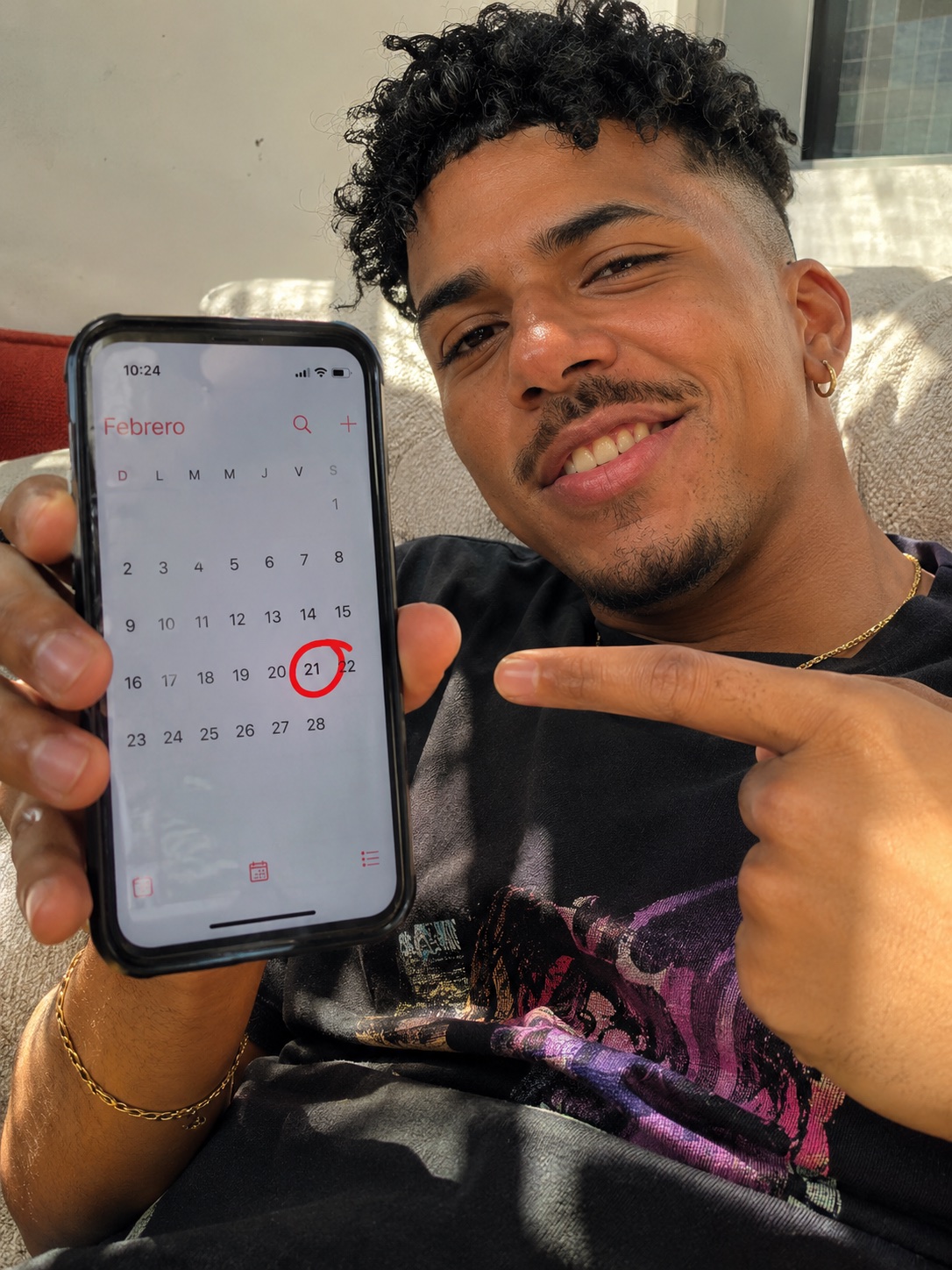
A minimalist announcement. Take a screenshot of the digital calendar app on your phone. Circle a specific date. Leave the event title blank or mysterious (e.g., "Phase 1"). Post it with zero context.
Why This Works
It breaks the mold of traditional, over-designed promotional flyers. The casual, native-UI look of a phone screenshot feels intimate and important, forcing the audience to mark their own calendars.
Hook Bank
- Direct
- Keep this date free. I have something new to share.
- Curiosity
- Clear your schedule.
- Personality
- This date has been living in my calendar for a long time.
- Sarcastic
- A calendar screenshot with an unusually dramatic amount of meaning.
How to Execute
- Plan the opener
Try this opener as a starting point: “Keep this date free. I have something new to share”. Choose the first image or moment that makes its promise clear.
- Make the first pass
Keep the screenshot clean. Use the red markup tool on your phone to circle the date. Do not clutter the image with text.
- Shape the sequence
Use this order for your first cut: The Calendar Image → Silence. Check that the subject reads at thumbnail size and that any text is legible on a phone.
- Check and publish
Use this call to action as your starting point: (None. Let them speculate in the comments). Preview the finished post and verify that any link, tag, or instruction works.
Make It Yours
- Bands: A calendar filled with 14 blocked-out dates, hinting at a massive tour announcement without naming the cities yet.
- Creatives: A calendar blocking out "Shop Opening."
- Use a clean calendar view with one highlighted date and a small recognizable symbol from the upcoming project.