The Countdown Widget
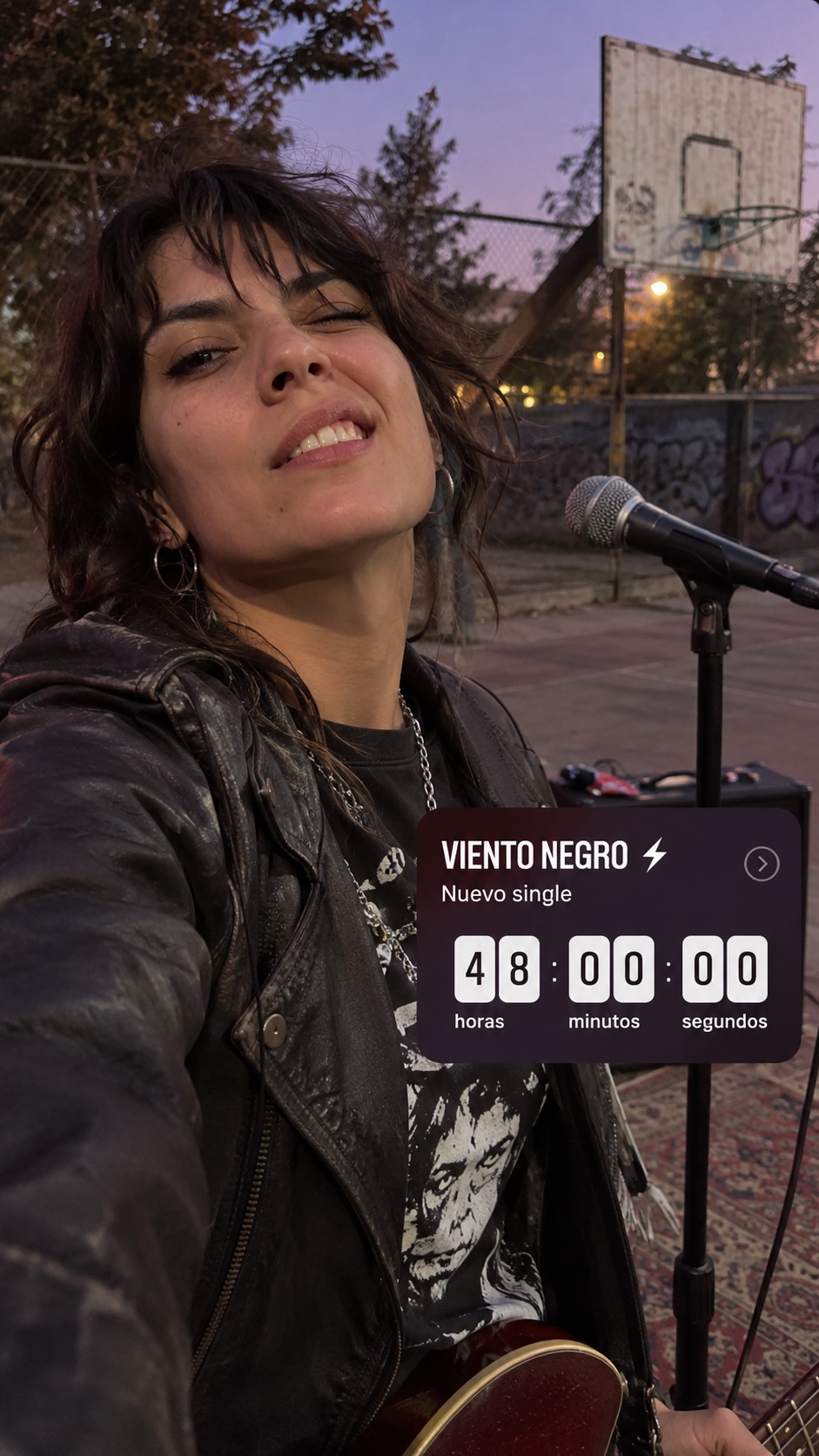
Visual Example
FILL Brief
Take the creative direction, hooks, and step-by-step execution plan with you.
Save to Collections
Choose where to keep this idea. Your collections are saved in this browser.
View my collections →The Idea
48 hours before a release, post a moody, out-of-context photo (the studio floor, a blurred instrument). Slap the Instagram "Countdown" sticker directly in the middle of it. Do not add any other text.
Why This Works
The countdown sticker allows fans to opt-in for a push notification the exact second your project drops. It bypasses the algorithm entirely by ensuring direct delivery to their phone.
Hook Bank
- Direct
- The countdown to the new release starts here.
- Curiosity
- What do you think this countdown is leading to?
- Personality
- There is finally a date on the thing I have been working toward.
- Sarcastic
- The countdown is doing a better job staying calm than I am.
How to Execute
- Plan the opener
Try this opener as a starting point: “The countdown to the new release starts here”. Choose the first image or moment that makes its promise clear.
- Make the first pass
Keep the background aesthetic but unobtrusive so the sticker pops. Make sure the title of the countdown is compelling.
- Shape the sequence
Use this order for your first cut: The Aesthetic Background → The Countdown Sticker. Check the frame order and keep important text and stickers clear of the interface at the top and bottom.
- Check and publish
Use this call to action as your starting point: "Turn on reminders so you don't miss it." Preview the finished post and verify that any link, tag, or instruction works.
Make It Yours
- Creatives: A countdown to when the limited edition print shop opens.
- Bands: A countdown to the music video premiere.
- Use a short detail shot from the project and label exactly what the countdown is leading to.