

Audience Word Bank
Visual Example
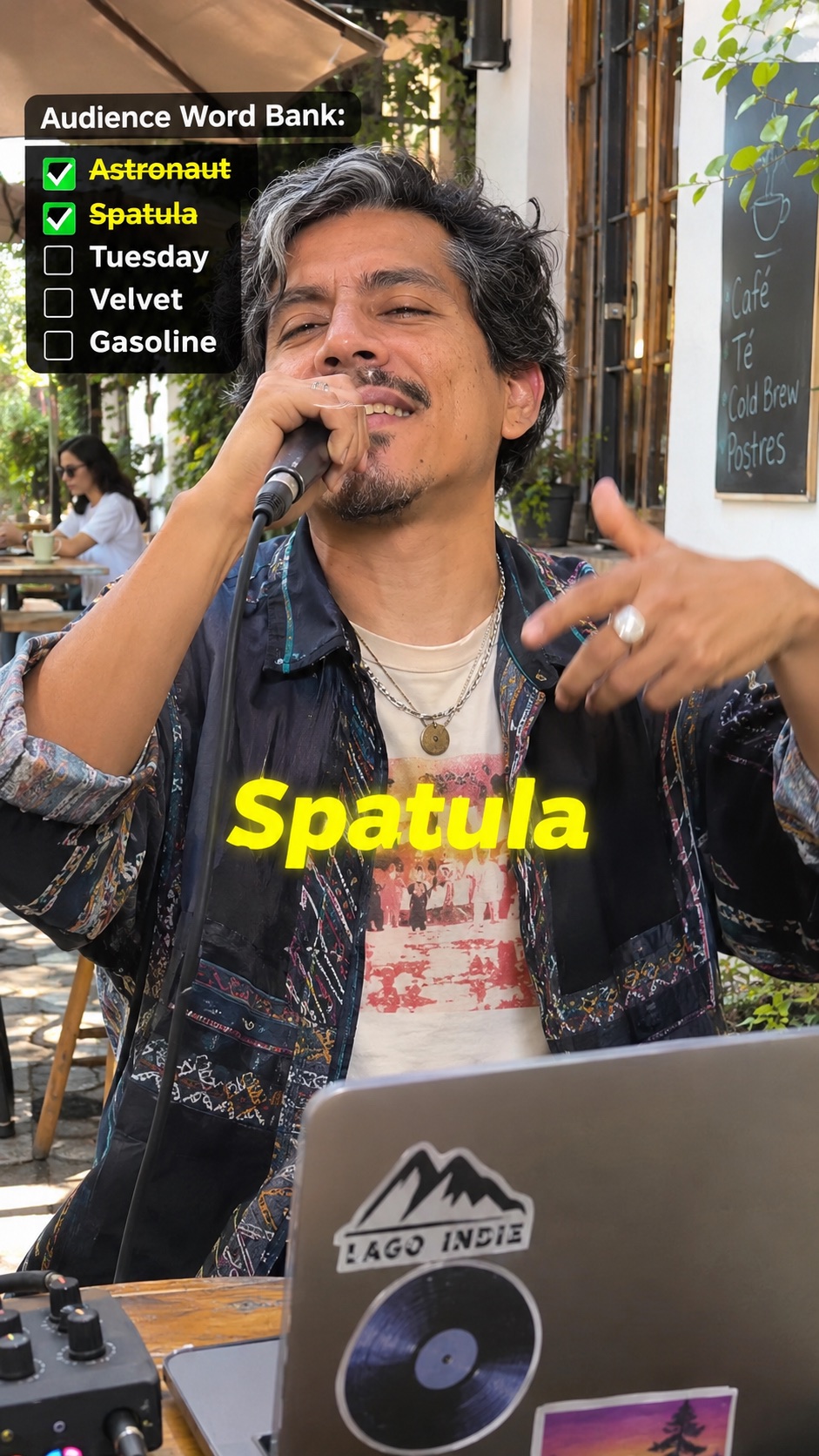
FILL Brief
Take the creative direction, hooks, and step-by-step execution plan with you.
Save to Collections
Choose where to keep this idea. Your collections are saved in this browser.
View my collections →The Idea
Ask your audience in a previous post to give you 5 completely random, unrelated words (e.g., Astronaut, Spatula, Tuesday, Velvet, Gasoline). Perform a freestyle or write a verse that seamlessly incorporates all 5 words.
Why This Works
It’s interactive magic. It proves your lyrical dexterity and proves that the performance is actually a freestyle (or freshly written), rewarding the audience members who gave you the words.
Hook Bank
- Direct
- You gave me 5 random words. Here is the freestyle.
- Curiosity
- Trying to fit the word "Spatula" into a serious rap verse...
- Personality
- Y'all tried to set me up with these words, but I got it.
- Sarcastic
- Proving that I can make a rhyme out of literal nonsense.
How to Execute
- Plan the opener
Try this opener as a starting point: “You gave me 5 random words. Here is the freestyle”. Choose the first image or moment that makes its promise clear.
- Make the first pass
Text on screen lists the 5 words. As the rapper performs the freestyle, each word flashes on screen in bright yellow text the exact moment they say it in the verse, checking them off a list.
- Shape the sequence
Use this order for your first cut: Display Word Bank → The Performance (Checking words off) → Outro. Watch the first cut muted to check that captions and visuals carry the hook, then play it with sound to check levels.
- Check and publish
Use this call to action as your starting point: "Give me 5 harder words for the next video." Preview the finished post and verify that any link, tag, or instruction works.
Make It Yours
- Producers: Ask the audience for 3 random genres (e.g., Polka, Trap, Jazz) and combine them into one beat.
- Creatives: Ask for 3 random emojis and design a character based entirely on them.
- Let the audience vote on the final five words, then highlight each one on screen as it appears in the verse.