

Free Vocal Chain Template
Visual Example
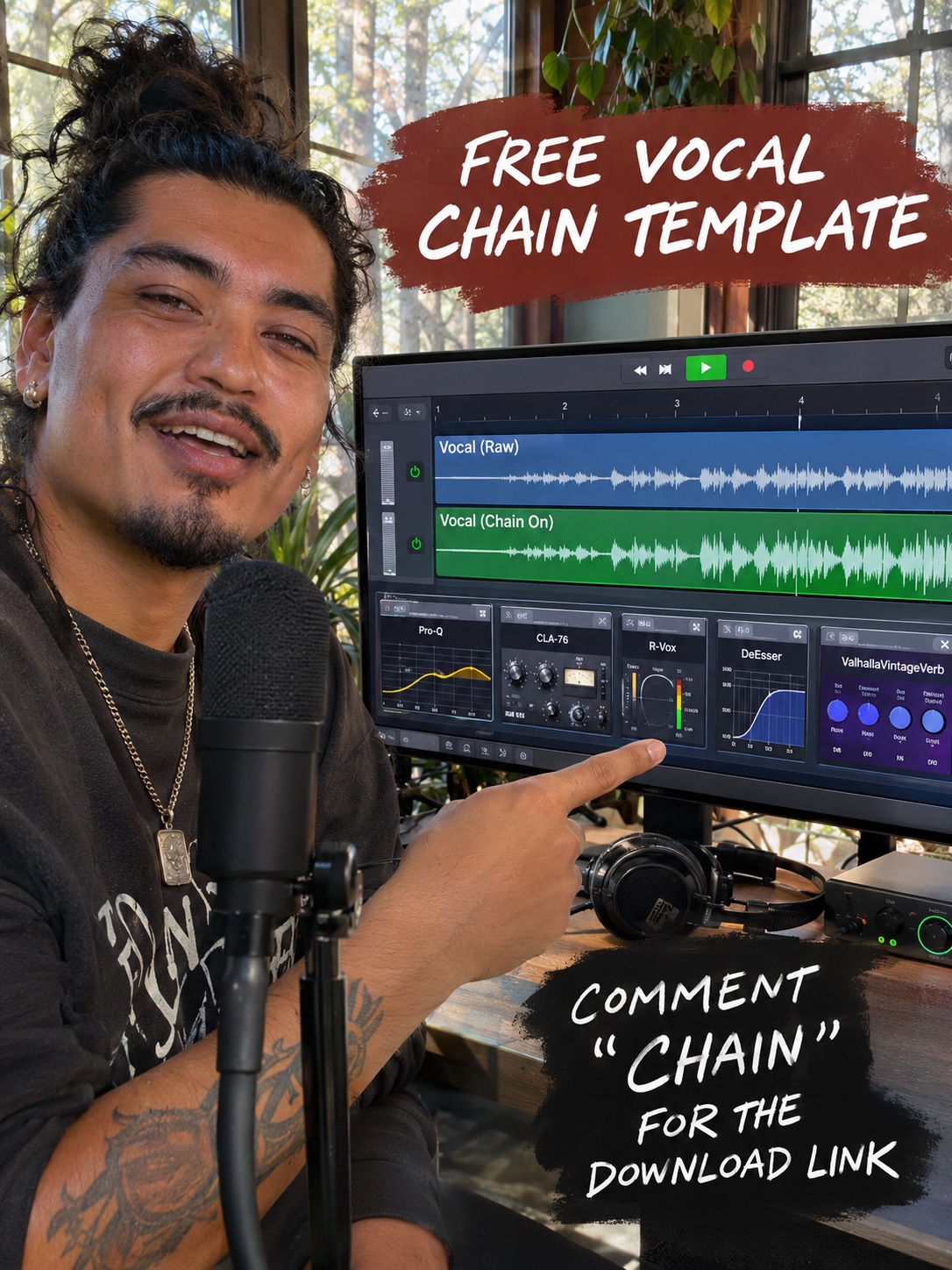
FILL Brief
Take the creative direction, hooks, and step-by-step execution plan with you.
Save to Collections
Choose where to keep this idea. Your collections are saved in this browser.
View my collections →The Idea
Singers often get asked how their vocals sound so crisp. Show your screen and give away your exact vocal chain (EQ, Compression, Reverb settings) as a free download for other vocalists.
Why This Works
Singers usually hide their production tricks. Giving it away positions you as an industry peer, not just a performer, and farms saves from thousands of bedroom artists.
Hook Bank
- Direct
- Giving away my exact vocal chain preset for free.
- Curiosity
- Stop paying for vocal presets. Just download mine right here...
- Personality
- This is the chain I start with, and the parts I change for every take.
- Sarcastic
- Unfortunately the preset does not also sing the chorus for you.
How to Execute
- Plan the opener
Try this opener as a starting point: “Giving away my exact vocal chain preset for free”. Choose the first image or moment that makes its promise clear.
- Make the first pass
Play your raw vocal. Turn on the chain so it sounds massive. Show the plugins. Ask for a comment in exchange for the download link.
- Shape the sequence
Use this order for your first cut: The Raw Audio → The Processed Audio → How to Get the Preset. Watch the first cut muted to check that captions and visuals carry the hook, then play it with sound to check levels.
- Check and publish
Use this call to action as your starting point: "Comment 'VOCALS' and I'll DM you the preset file." Preview the finished post and verify that any link, tag, or instruction works.
Make It Yours
- Producers: Give away your master-bus chain for heavy 808s.
- Creatives: Give away your render settings for high-quality Instagram video exports.
- Include a stock-plugin alternative and a dry-to-processed example at similar volume.